
pointone INTEGRATION
Use AI-powered time capture to find lost billable hours.
Connect PointOne with CosmoLex to turn everyday activity into AI-drafted time entries, giving attorneys less timekeeping to do and your firm a more complete record of the work behind every bill.
Not a CosmoLex customer yet?
Schedule a demo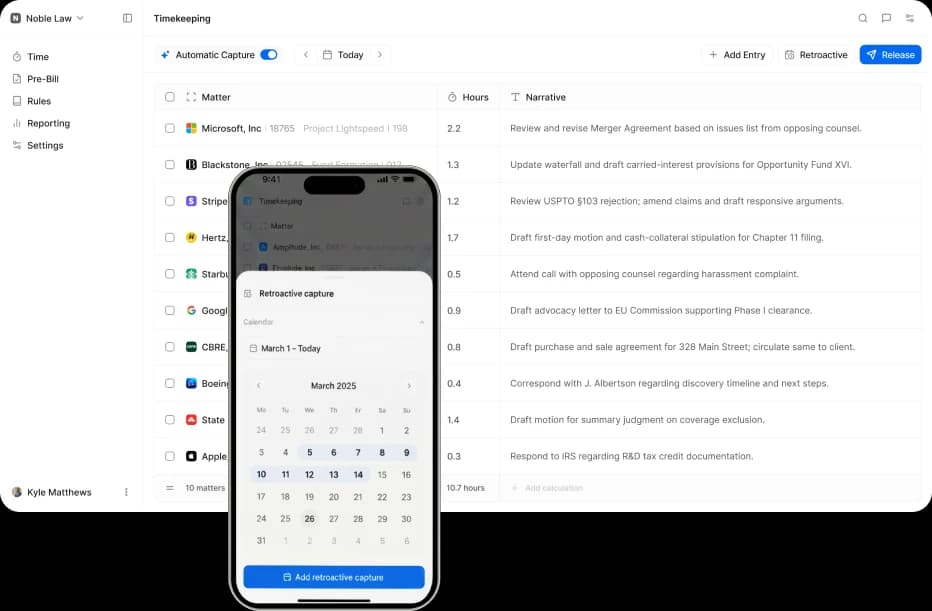
AI-Assisted Time Tracking
Spend the hour.
Keep the hour.
Attorneys lose billable time in emails, meetings, document reviews, and client calls that run longer than expected. PointOne works in the background to find those missing pieces.
Fully automatic
PointOne observes supported activity across the applications attorneys use throughout the day. Stay focused on client work instead of constantly stopping to document it.
AI-generated narratives
AI turns activity into suggested time entries with billing narratives already prepared. Review what PointOne creates rather than writing every description themselves.
Retroactive capture
PointOne looks back across previous activity. Surface potentially billable work from earlier days, weeks, or other selected periods.
Automatic time capture
How PointOne works with CosmoLex
PointOne connects to CosmoLex and pulls in your existing clients, matters, timekeepers, and billing codes. Nothing new to learn, nothing to configure.
Connect your PointOne account
Head to your PointOne Integrations settings, enter your CosmoLex API credentials or authenticate via OAuth, and your accounts will be linked instantly.
Capture runs in the background
PointOne silently tracks your workday across email, documents, calls, calendar, and the web. No timers, no manual entry, no change to how you work.
AI builds the entries for you
Each entry arrives with a complete billing description, matched to the right client, matter, and billing code in CosmoLex.
Review, approve, and sync
Edit if needed, approve in one click, and entries flow straight into CosmoLex across all your devices.
Not a CosmoLex customer yet?
Schedule a demoCompliance and security
Customizable billing rules that ensure compliance.
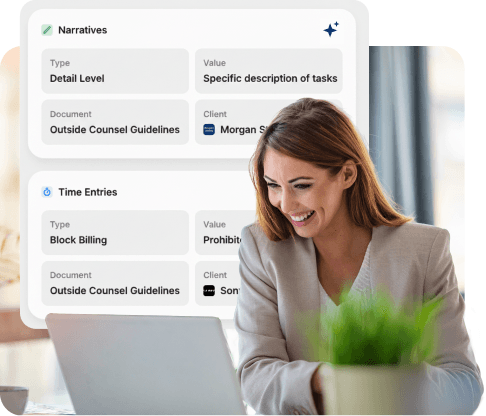
PointOne can apply firm and client billing requirements to AI-generated entries, like Outside Counsel Guidelines. The integration incorporates these compliance features into your firm's processes to improve consistency across narratives, billing codes, and other client-specific requirements.

GDPR & HIPAA
Built to meet the data privacy and confidentiality requirements that matter most to legal and healthcare clients. Fully compliant, by design.
SOC 2 Type 2
Security controls independently audited to ensure firm data is handled with the highest standards of confidentiality and integrity.
ISO 27001
Internationally recognized standard for information security management. Your data stays protected at every layer of the stack.
Integrates Seamlessly
Works with the tools you already use.
PointOne is built to extend CosmoLex, not replace it. Time entries, narratives, and approvals flow into your existing system. Your matters, clients, rates, and reports stay in CosmoLex, untouched.
Not a CosmoLex customer yet?
Schedule a demo
Trusted by thousands of users
Find answers to the most common questions by firms
Can my firm use PointOne without changing our current CosmoLex workflow?
Yes. PointOne works alongside CosmoLex to add AI-assisted time capture without requiring your firm to replace its existing billing process. Your team can continue managing matters, billing, and other firm operations in CosmoLex.
What information does PointOne use from CosmoLex?
PointOne connects with relevant information from CosmoLex, such as clients, matters, timekeepers, and billing codes, to help organize captured work correctly. This gives the AI the context it needs to create more useful draft entries.
Does every attorney at my firm need to use PointOne?
Your firm can determine how broadly it wants to adopt PointOne based on its timekeeping needs. This can make it possible to introduce AI-assisted time capture where it provides the most value without changing everyone’s workflow at once.
Can attorneys change an AI-generated entry?
Yes. Attorneys remain in control of their time entries and can review and edit PointOne’s suggestions before approving them. AI helps prepare the entry, while the attorney determines what is ultimately submitted.
How does PointOne know which client or matter work belongs to?
PointOne uses context from captured activity along with information from CosmoLex to help associate work with the appropriate client and matter. Attorneys can verify or correct those details during review before approving an entry.


